 Computing on Demand PC News & Reviews

Setting up your Windows Home Server as an Email Server is fast, easy, and best of all; it is totally FREE! The best part about is that you can use your Microsoft given WHS hostname as your email address (yourname@xxxx.homeserver.com).
There are many commercial packages out there that can accomplish this task very well and some of them even offer a free version for those of us with little money. However, for easy installation and configuration, I recommend using hMailServer.
hMailServer is very simple to use and offers many of the features that some expensive packages offer at no cost to you. There are even options for setting up webmail access.
You are going to need to do this work from your WHS and the easiest way for this is to initiate a Remote Desktop connection to your home server. This will allow you to work on your Home Server as if there were a monitor, keyboard, and mouse attached to it. This article will also assume that you have some computer knowledge and are able to use RDC or the Add-in Asoft AutoExit, but I will try to be as thorough as possible anyway.
Download hMailServer stable version then install using the default options: Click Here to download
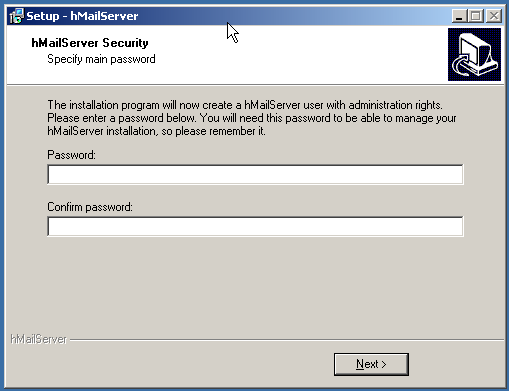
While installing with all the default options, you will eventually be prompted to set up an administrator password. Make this a strong password as this will allow access to your email server setup. At the conclusion of the installation you can have the installer automatically launch hMailServer administrator.
At first run, the hMailServer Administrator Connect wizard will be displayed. This will allow you to automatically connect to your hMailServer when launching the Administrator from your desktop or your start menu. You can also configure connections to other hMailServers should you have more in your webring.

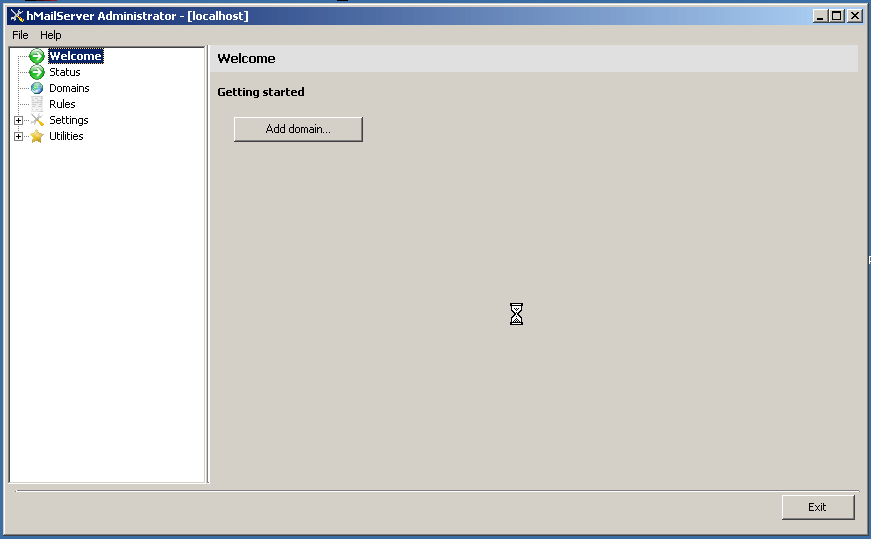
From the Welcome Screen you can see how the application is setup. There is a tree on the left with the configuration hierarchy with the configurable options on the right. At first start, hMailServer will place you under “Welcome” and the only available option is to create a domain.
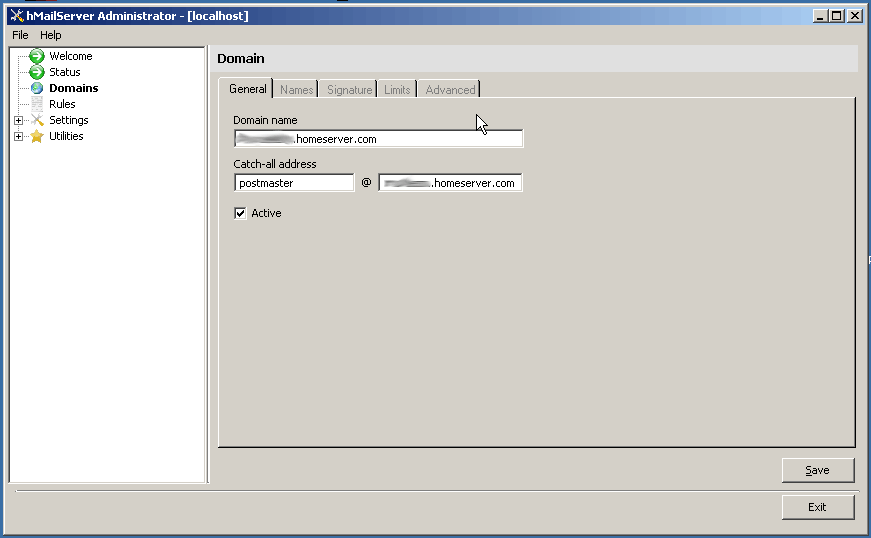
After clicking “Add Domain” populate the fields with the appropriate information.
- The domain name would be your WHS address (xxxxxxx.homeserver.com).
- I recommend using postmaster as the catch-all address.
- Click Save to keep all of your changes.
After clicking the Save option, the screen will change and add 3 new options and the tree will expand. Add Account, Add Alias, and Add Distribution List.
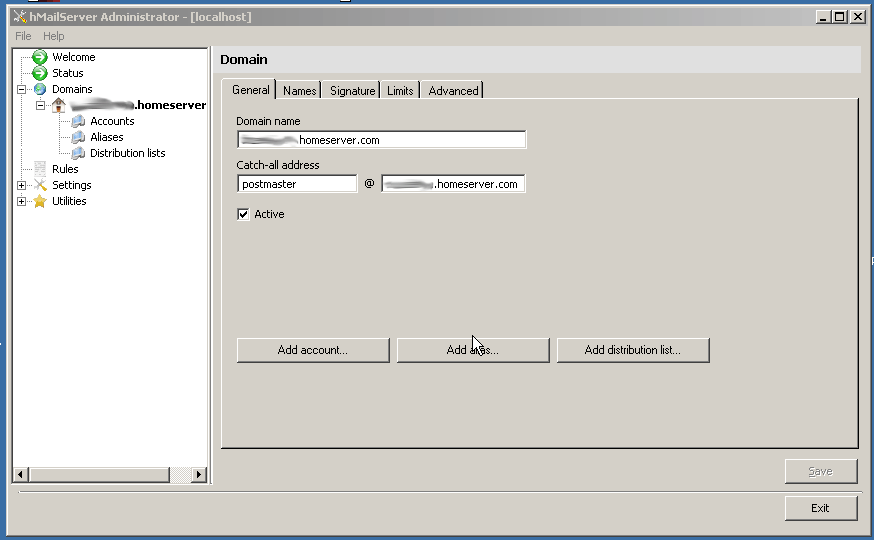
For a basic configuration, I wouldn’t really worry about configuring any of the options in the tabs that become available in this screen. This is a simple installation and configuration tutorial; further experimentation is recommended for your configuration. You are now able to add your first account to your hMailServer.
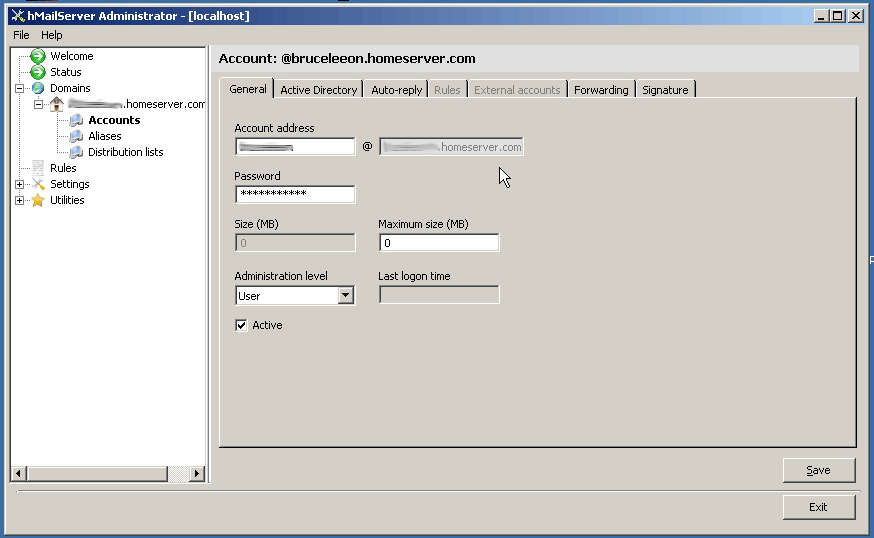
- Fill in the username with your desired email address name.
- Create a password for the email account
- Change the Maximum email account size if you wish (I leave mine at unlimited)


is this discussion still alive
It is now 🙂
Excellent article and thanks for posting the detailed instructions (so often missing on other sites as you note).
And certainly easier than running Exchange!
wow another free stuff! thanks for sharing this one. cheers!=)
ok after I set up the home server in the window home server, how do I access any mail from it and how do I set up my outlook 2007 to access the mail?
I used the following as my pop3 ***.mydomain.com and SMTP as my ISP SMTP address (cause my isp restricted port 25); to setup Outlook Express. I was able to send out email message, however I couldnt receive any emails. I'm getting this error message when run Receive All in Outlook Express:
"Your server has unexpectedly terminated the connection. Possible cause for this include server problems, network problems, or a long period of inactivity. Account '***.mydomain.com', server 'mydomain.com', Protocol: POP3, Port 110, Secure(SSL): No, Error Number: 0x800CCC0F.
I did verified that PORT 110 is open @ the router.
Please let me know if you can help, thanks in advance.
Did you require authentication?
Just checking, is this article still relevant one year later? Someone pointed me here but it’s a bit old.
I’ve obtained my domain at homeserver.com. However, there is no MX record for it (All mails sent to the address were failed). How do I add the MX record via WHS? Thanks!
How do one access the emails thru outlook???? or even set up webmail… i have installed hmailserver and it all very well, it even says i have a message but what the point of it if i can’t read it??????
I will eventually write a tutorial on setting up outlook, mail, or outlook express to get mail from your hmailserver. The easiest way to explain for now is to use your servers, ip address or given homeservername as the smtp and pop server.
have you made the torturital for outlook setup, an if so please send me a link
Hey. The download link appears to not be working. It just redirects to this page again. ANy suggestions?
I changed the link to the software website…